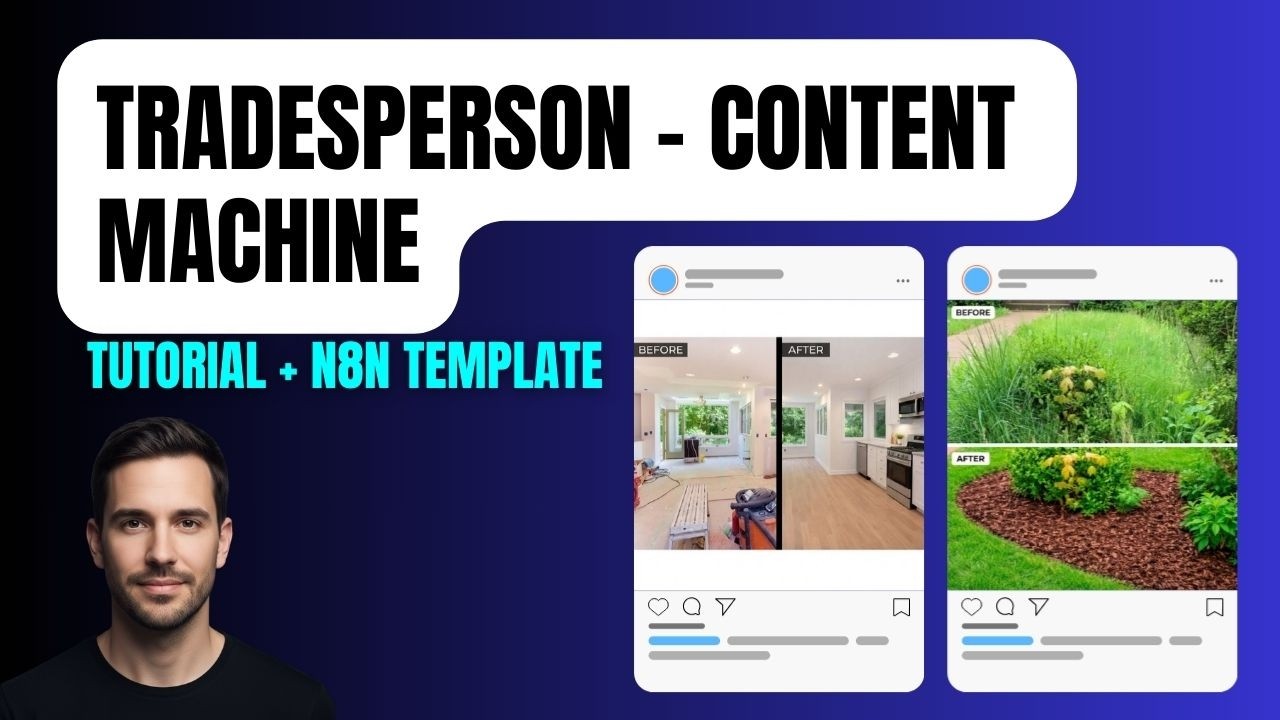
Turn Before & After Photos into Social Posts Automatically
Most tradespeople do great work and never show it online. Not because they don’t want to — because taking a photo is easy, and figuring out what to post it with isn’t. So the before and after shots sit in a camera roll, and the business that did the work gets no credit for it.
This n8n workflow fixes that. A tradesperson fills in a simple form when they finish a job — service, location, a quick note about the work, before and after photos. The workflow turns that into a set of platform-ready social posts and a combined before/after image, all delivered to their inbox ready to copy and paste. No writing. No editing. No friction.
Who This Is For
Two different people will find this useful — and the workflow serves both.
Tradespeople — gardeners, kitchen fitters, painters, decorators, builders — anyone whose work is visual and benefits from showing up online consistently. This runs in the background after every job with minimal input required.
Agencies and automation builders — this is a clean, productised service you can offer to local trade businesses. Most of them know they should be posting more. Almost none of them have the time or copywriting skills to do it. Walking in with a live demo of this — fill in a form, get posts and an image back in minutes — tends to close quickly.
What the Workflow Produces
From one form submission, the tradesperson receives an email containing:
- A Google Business Profile post (short, local SEO-friendly)
- A Facebook post
- An Instagram post with hashtags
- A short blog post they can use on their website
- A combined before/after image — both photos merged into one side-by-side visual, either landscape or portrait
Everything is customisable. The system prompt can include the company name, preferred hashtags, tone of voice, and trade-specific language. What comes back sounds like the business, not like a generic AI output.
How the Workflow Is Built
Form trigger The n8n form collects four things: service type, location, a brief description of the work completed, and the before and after images uploaded as files. Simple enough that a tradesperson can fill it in from their phone at the end of a job.
Cloudinary upload The uploaded images arrive in n8n as binary data. Before anything else can happen with them, they need to be publicly accessible via URL — which is what AI models and API calls require. The workflow uploads both images to Cloudinary and captures the secure URL for each. This is the same approach used in the AI video clip merger workflow — when an AI model needs an image or file, you almost always need a URL rather than raw binary data.
AI agent (post writing) An AI agent connected to OpenAI GPT-4 receives the service, location, and job description as dynamic values from the form. The system prompt defines its role — for a gardening and landscaping client it might be: “You are a UK-based copywriter specialising in content for local gardeners and landscapers.” Swap the trade, update the prompt. The agent outputs structured JSON with a field for each post type.
Fal AI image merge A separate HTTP request goes to Fal AI’s image generation endpoint (the Nano Banana model), passing both Cloudinary URLs and a prompt to combine them into a single before/after image. The model returns a URL for the merged output. A second GET request retrieves the binary image data so it can be attached to the email.
Gmail The workflow sends everything — the formatted posts and the before/after image as an attachment — to whatever email address you’ve configured. The tradesperson opens their inbox, reads the posts, and decides what to share.
Adding a Human in the Loop
If you’d rather not have posts go live automatically, the workflow includes an optional approval step.
Instead of sending a plain results email, the Gmail node sends an email with Approve and Reject buttons built in. The workflow pauses and waits for a response.
- Approved — the content goes straight to Blotato for scheduling across platforms
- Rejected — a second AI agent picks up the original content plus a rejection signal, revises the posts, and sends a new email for approval
If the revised version is also rejected, a support notification goes out rather than looping indefinitely. At that point a human looks at the output, adjusts the system prompt if something keeps going wrong, and reruns.
This approval loop is worth including when you’re building this for a client — it keeps a human in control while removing the writing and editing work entirely.
Final Thoughts
The form-to-email version of this takes a few hours to build. The approval and auto-posting version takes longer, but the output is a workflow that handles everything from job completion to published post with minimal human involvement.
For agencies looking for a repeatable AI service to offer local businesses, this is a strong one. The before/after format is universally understood, the value is immediate and visible, and almost every trade business has photos they’ve never done anything with.
Watch the full build walkthrough here → https://youtu.be/eEIMTwZ__N8