Automate B2B Lead Enrichment with n8n and Perplexity
You’re about to jump on a sales call. You’ve got a name, a company name, and a website. That’s it. So you spend 15 minutes Googling — what they do, how big they are, what they might actually need — and half of that time feels like work you should never have had to do manually.
This workflow removes that entirely. The moment a new B2B lead submits your form, an n8n automation triggers an AI agent that uses Perplexity to research the company and writes a summary directly into your CRM. By the time you’re ready to make the call, the research is already sitting there.
Why Manual Lead Research Is a Tax on Your Sales Team
Every B2B sales conversation goes better when you know something about the company before you pick up the phone. That’s not insight — that’s just basic preparation. But research takes time, and when leads come in at volume, it’s the first thing that gets skipped.
The result: your sales team walks into calls cold, spends the first five minutes asking questions they could have answered beforehand, and looks less prepared than they should.
The fix isn’t hiring someone to do research. It’s making the research happen automatically — triggered the moment the lead comes in, finished before anyone needs to act on it.
How the Workflow Works
The setup in n8n is straightforward:
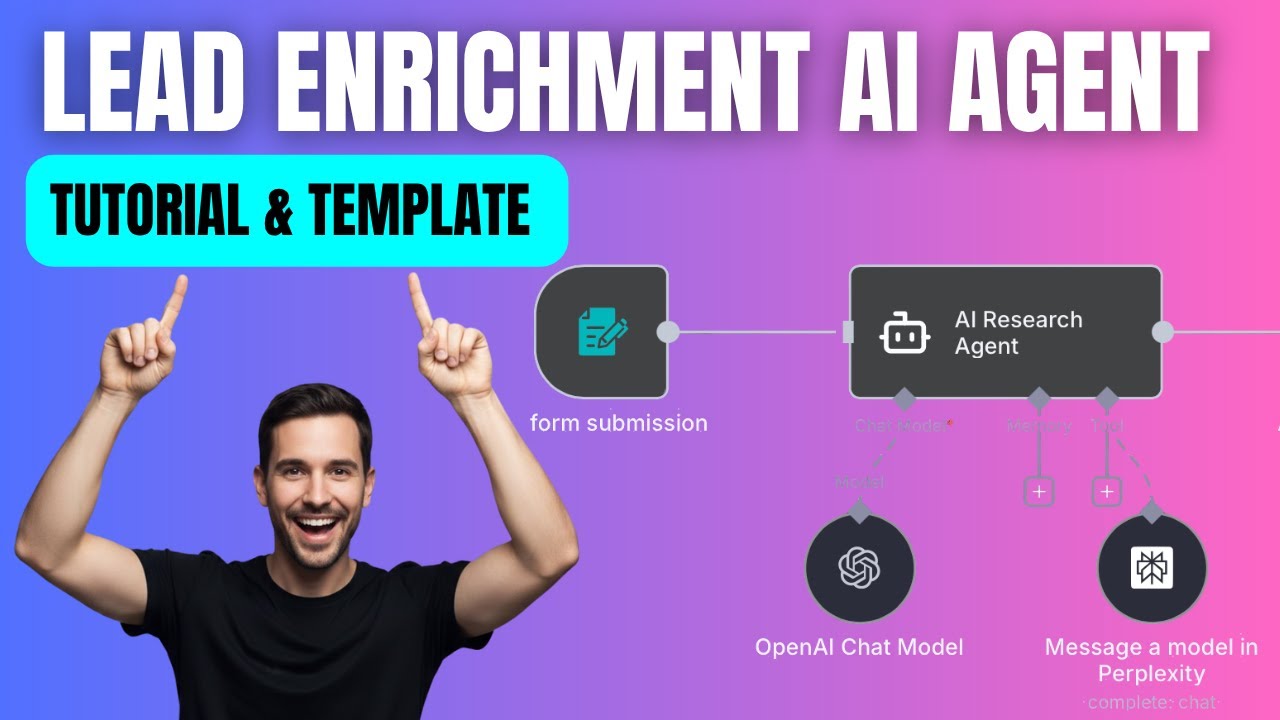
- A lead submits a form with their name, company name, and company website
- An AI agent receives that data and researches the company using Perplexity AI
- The agent writes a company summary based on what it finds
- That summary — along with the original lead data — gets appended as a new row in a Google Sheet
The Google Sheet acts as a simple CRM: date, name, company name, website, and the AI-generated research. Every new lead arrives with context attached.
If you’ve already built research-based automations — like the YouTube research agent I covered in The Research Agent That Plans My YouTube Content — the pattern here is identical. AI agent, research tool, structured output. The application is different; the architecture is the same.
Building It in n8n
Step 1: Form trigger Start with an n8n Form node. For this workflow you need three fields: name, company name, and company website. Keep it simple — the less friction on the form, the more leads come through.
Step 2: AI agent node Add an AI Agent node. The user message should pass through the dynamic values from the form: company name and company website. Something like: “Research the following company using the name and website below: [company name], [website].”
The system message is where the real customisation happens — more on that below.
Step 3: Connect a brain The AI agent needs a chat model. Connect it to OpenAI (GPT-4 works well here). You’ll need an OpenAI API key — create one in your OpenAI account under API settings and paste it into the n8n credential.
Step 4: Add Perplexity as a tool This is what makes the research actually go online rather than just drawing on training data. In the Tools section of the agent node, add Perplexity. You’ll need a Perplexity API account — credits are inexpensive, a few dollars gets you meaningful usage to test with. Create an API key and add it as a credential in n8n.
Step 5: Google Sheets node Add a Google Sheets node set to “Append Row”. Connect your Google account, select the sheet, and map the dynamic values: name, company name, company website from the form trigger, and the AI agent output as the research column. Execute the step and the row writes itself.
The System Prompt Is 90% of the Value
The system message tells the agent what kind of research to do and how to format it. The default version is useful for most B2B contexts — company overview, size, what they sell, who they sell to. But this is where you make it work specifically for your sales process.
A few examples of what you can customise it for:
- Agency sales: Research the company’s current marketing presence — do they run ads? Is their website recent? Do they have social media activity?
- SaaS: What’s their tech stack? Are they using competitor tools? What stage of growth are they at?
- Consultancy: Who are their competitors? What industry challenges are they likely facing?
You can also control the output format. Ask the agent to return a structured summary with specific sections, bullet points, or even a lead-scoring note at the end. Whatever your sales team actually needs to walk into a call prepared — put that in the system prompt.
Final Thoughts
This workflow takes maybe an hour to set up. What it gives back is the research time on every single lead — permanently. For a sales team running 10–20 calls a week, that compounds fast.
If you’re offering automation services to clients, this is also a strong early-win project. Most small B2B businesses have no CRM enrichment at all. Walking in with a live demo of this — lead comes in, research appears — tends to land well.
Watch the full build walkthrough here → https://youtu.be/M2X7dBPevRU