How to Automate AI Brand Videos with n8n and InfiniTalk
Creating video content for your brand doesn’t have to mean booking studios, hiring presenters, or blocking out hours of your week. With the right AI stack, you can have a consistent animated character delivering your brand messages — and an automation that handles the whole process from script to scheduled post.
By the end of this post, you’ll know how to build a complete n8n workflow that pulls a script from a Google Sheet, generates a voiceover, animates an AI character, and posts the finished video to your social platforms — automatically.
Why Animated AI Characters Make Sense for Brand Content
The obvious use for AI video tools is photo-realistic talking heads — but there’s a strong case for leaning into animation instead.
Big brands have used consistent animated characters for decades. Kellogg’s Tony the Tiger. The Geico Gecko. The point isn’t realism — it’s consistency and recognition. An animated character showing up repeatedly builds familiarity, and the “AI aesthetic” becomes part of the brand rather than something you’re trying to hide.
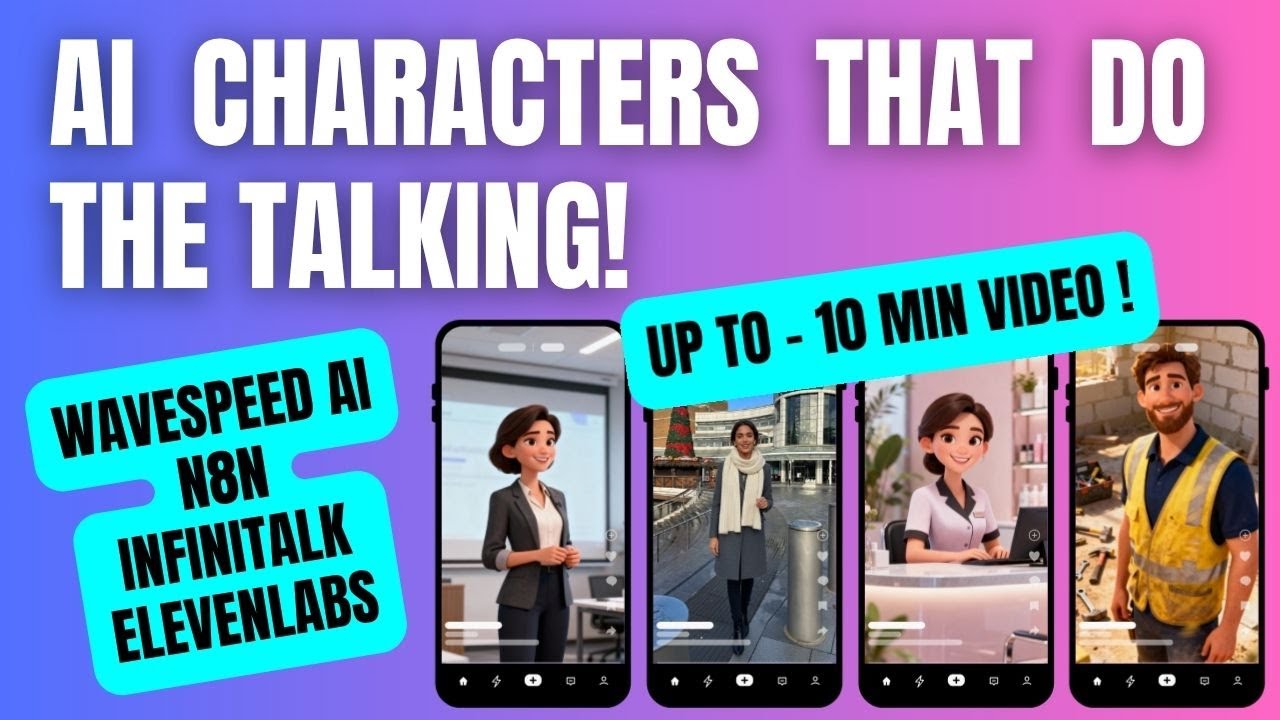
The practical advantage: you can create a library of that character in different settings — outside a builder’s merchant, in a kitchen, at a desk — by generating multiple images from the same base. The character stays consistent; the context changes. Cycling through five or six images means each video feels fresh without needing to recreate anything from scratch.
This works especially well for local service businesses — a plumbing company, a salon, a training provider — where the goal is showing up consistently with offers, announcements, and explainer content rather than chasing cinematic production quality.
Creating Your AI Character with Kie AI
Kie AI gives you access to multiple image generation models through one platform, without needing separate subscriptions for each. For this workflow:
- Generate a base image — write a detailed character prompt (ChatGPT is useful here) and run it through the Kling model in Krea. Select your image size, generate a batch, and pick the best output.
- Create variations — once you have a character you’re happy with, download it and re-upload it into Krea’s edit mode. Prompt it to keep the character consistent but change the setting or pose: “same character, sat at a desk”, “same character, outside a builder’s merchant”. Generate 4–6 variations.
- Host the images — the n8n workflow needs each image accessible via a public URL. Cloudinary handles this cleanly: upload your images and copy the URLs directly into your Google Sheet.
The Google Sheet becomes your content queue: one row per video, with columns for the script, voice ID, image URL, and production status. Marking a row as “for production” is all it takes to trigger the workflow.
Building the n8n Workflow: Script to Finished Video
The n8n workflow runs on a schedule trigger and works through these stages:
1. Pull the next script from Google Sheets The workflow reads rows marked “for production” and only takes one at a time — so you never accidentally batch-process the entire queue at once. Each row contains the script, voice ID, and image URL.
2. Generate platform-specific captions with an AI agent An AI agent node (connected to GPT-4) takes the script and writes captions tailored for each platform — YouTube Shorts, Instagram, TikTok. Each platform has different length limits and conventions, so this step saves significant manual work downstream.
3. Create the voiceover via WaveSpeed + 11 Labs 11 Labs has hundreds of voices available. Browse them on their site, find one that fits your character, and copy the Voice ID. That goes directly into your Google Sheet. The workflow sends an HTTP request to WaveSpeed AI, which calls 11 Labs to convert the script into audio. A wait node handles processing time before moving on.
4. Animate the character with InfiniTalk Once the audio is ready, a second HTTP request sends both the audio file and the image URL to WaveSpeed’s InfiniTalk model. This is what actually animates the character — it syncs the voiceover with the image to produce a talking video. InfiniTalk supports videos up to 10 minutes long, which makes it significantly more flexible than most video generation tools that cap at 30–60 seconds.
5. Update the sheet and retrieve the output When the video is complete, the workflow marks the row as “done” and writes the video URL back into the sheet. From there you can download the file or pass it directly to the next step for posting.
Automating Social Posting with Blotato
The final nodes connect to Blotato — a social scheduling tool with an n8n community node that handles multi-platform posting.
The sequence:
- Upload the video to Blotato’s servers (one HTTP node)
- Create a post for each platform — TikTok, Instagram, YouTube — each pulling the relevant captions from the AI agent step
One thing to get right: most platforms now require AI-generated content to be labelled. TikTok has a native toggle in the n8n node; for others, appending plain text (“Made with AI”) to captions covers it cleanly.
If you’d rather keep a human in the loop before anything goes live, the workflow can email you the video URL for review, or push to drafts instead of publishing directly. The automation handles the production; you decide what hits the feed.
Final Thoughts
The value here isn’t just saving time on individual videos — it’s the ability to show up consistently without it becoming a full-time job. Once the workflow is set up and the character library is built, adding a new video is as simple as typing a script into a spreadsheet and flipping the status to “for production”.
If you’re building AI services for clients, this is a clean productised offering for local businesses: set up the character, build the workflow, hand them a Google Sheet. They write the scripts; everything else runs automatically.
Watch the full build walkthrough here → https://youtu.be/g8UekC4ieKM